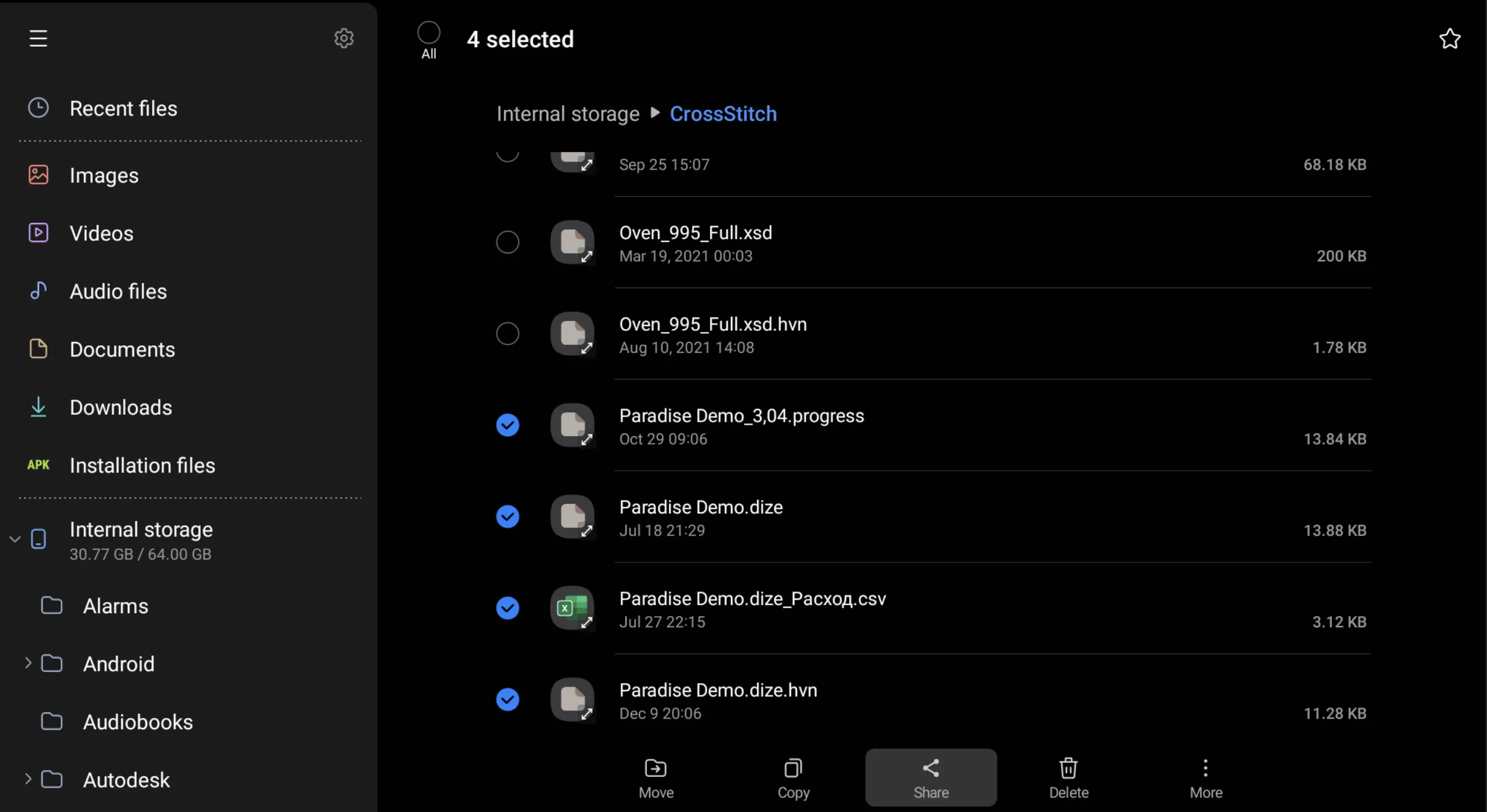
Transferring progress, creating a backup.
To send or copy a progress diagram, use the "Share progress file" option in the Favorites menu.
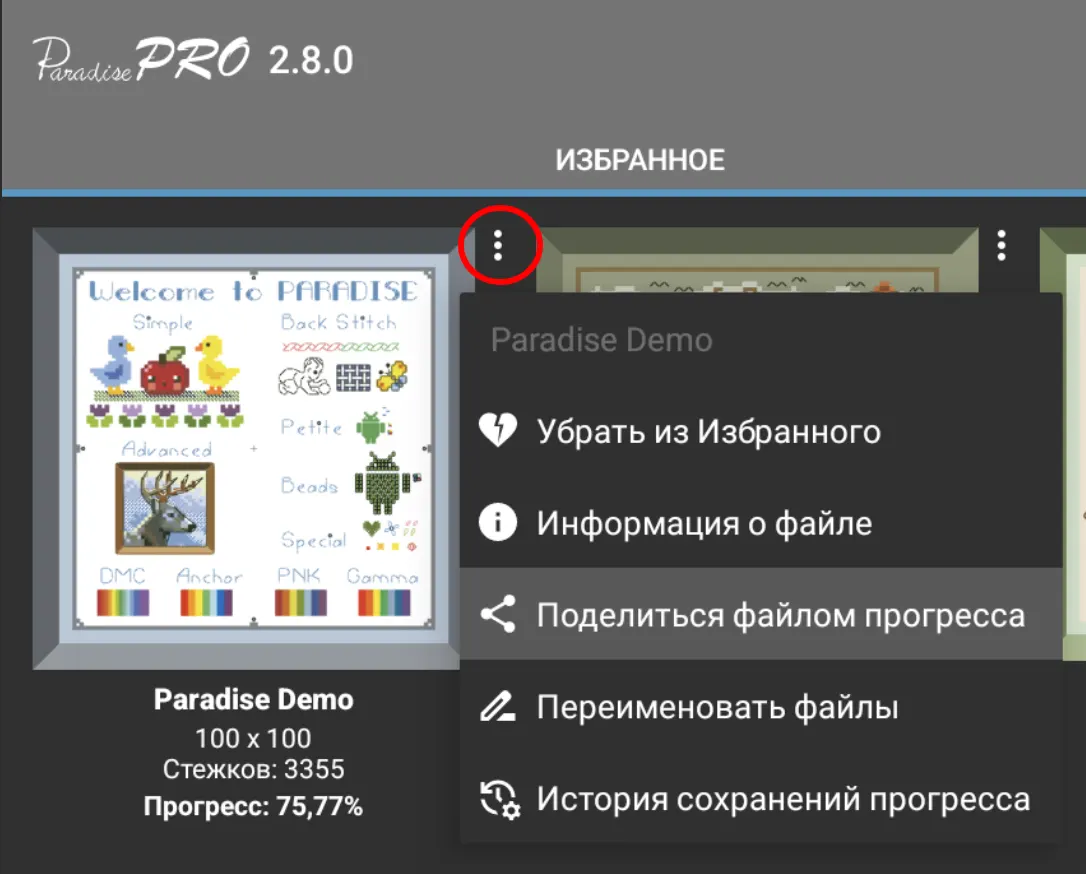
After this, you can choose your preferred file transfer method, for example, "Nearby share"
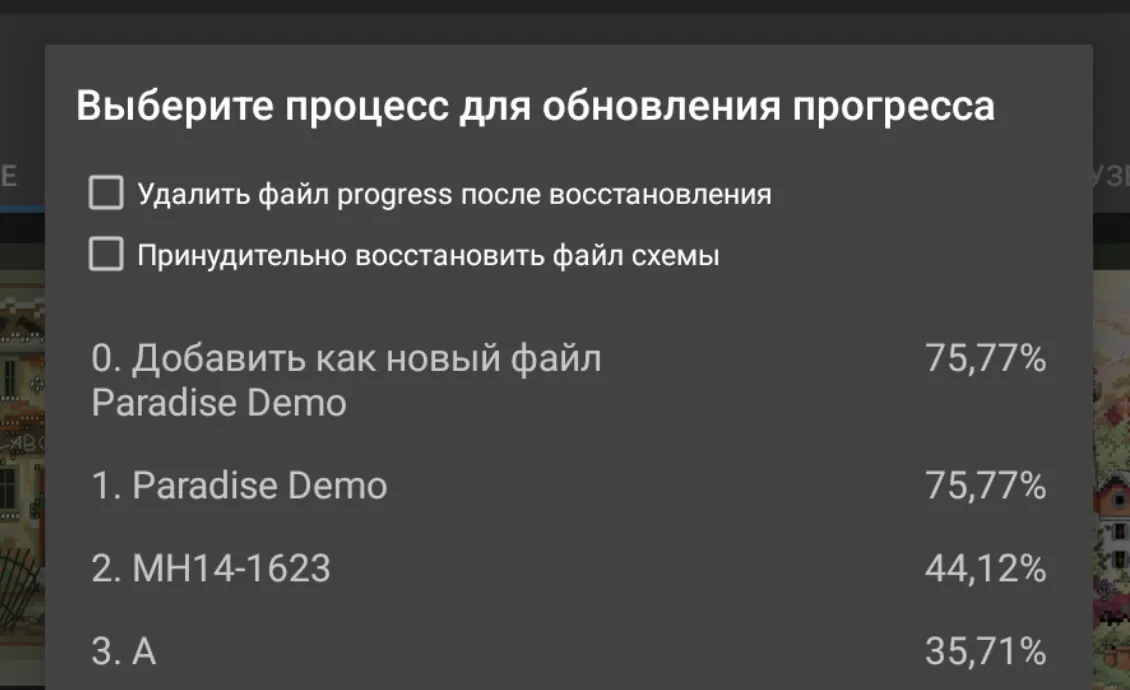
When you later open this file in Paradise, you can import the progress into an existing scheme or add it as a new file.
On your new device, remember to specify the same account for protected patterns that you had on your old device, otherwise some files won't open!
Transferring other files
Paradise doesn't have file transfer features, so to transfer other pattern files, use your device's built-in file manager app.
You can find information about the folder where the pattern is located from the Favorites menu or in the Pattern Browser header. By default, Paradise copies files to the "CrossStitch" folder.
For example, the screenshot below shows the Files app on Samsung devices. You can select files and folders and "Share" them.